

How to Login to Your New Profile
Welcome to our new website!
This website is built on an entirely new system and membership database. These new, integrated systems will require all ELFA members to create a new account password.
Your old credentials will not work.
Your username is your email associated with your ELFA account.
Follow these steps to create your new password:
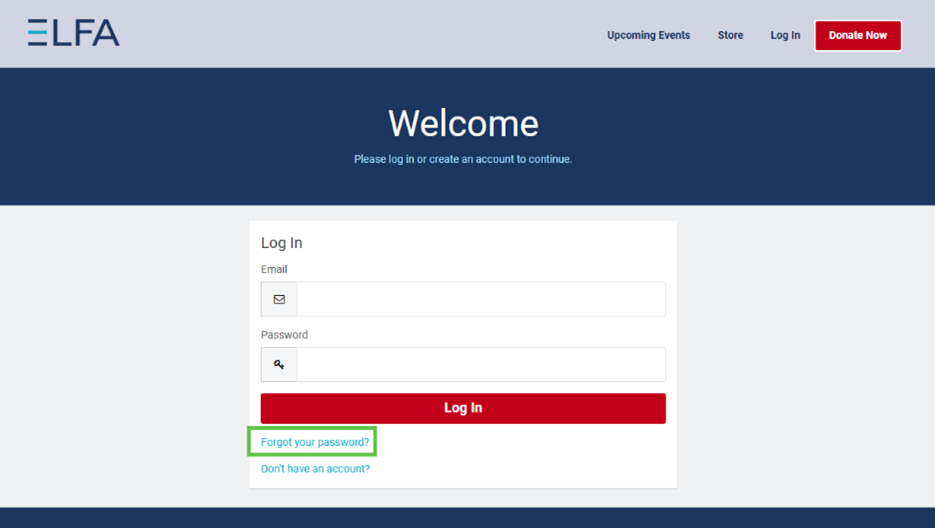
- Click "Login" in the top right.
- The first time you log in, you'll need to reset your password by clicking the "Forgot Password" link
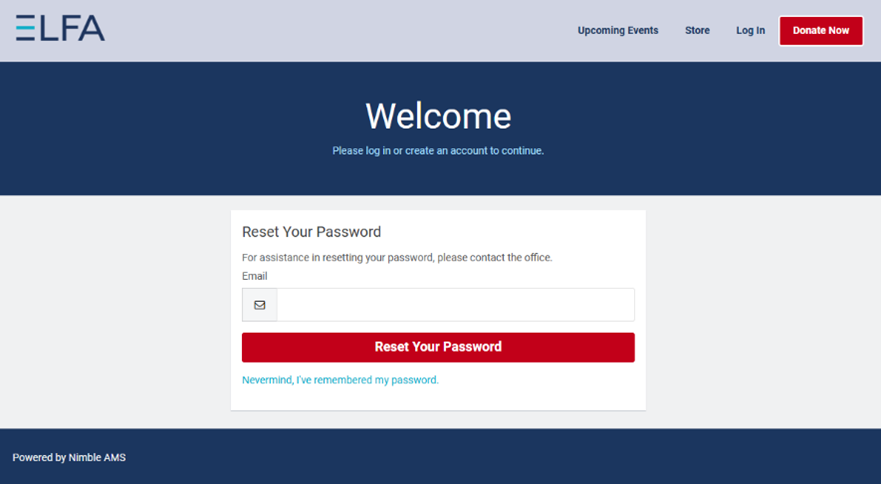
- You will enter your email address (the email that we have on file) and click “Reset Your Password”. You will then receive an email with a link to set your password.
- Follow the link to reset your password.
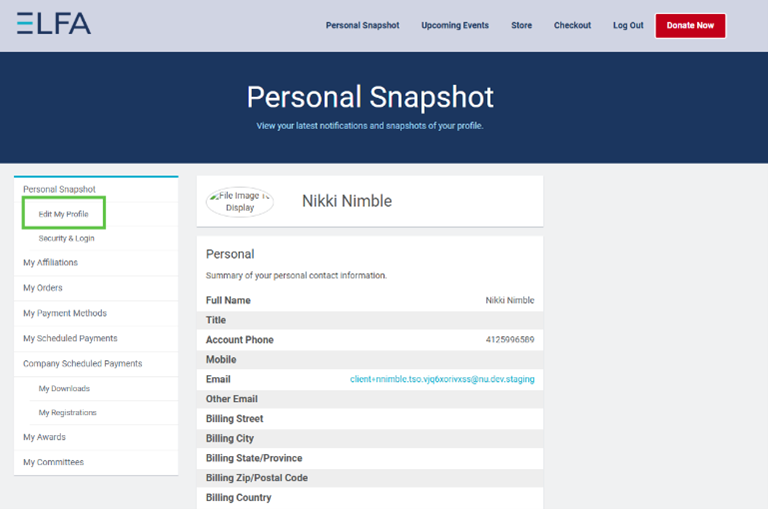
- You have now set up your new ELFA credentials! If you would like, you can update your profile by clicking edit profile from the side menu on the left side of the screen.
If you need help with your login, email [email protected] and they'll respond as soon as possible!!